How to Choose a Domain Name for WordPress: 7 Steps
Every WordPress project starts with a name.


"Updating broken affiliate URLs across dozens of client pages at once takes minimal effort now thanks to the bulk fixes."
— Julian T, WordPress Webmaster
Find broken links and images on the pages your visitors see, then fix them in one click from your dashboard.
Latest plugin version 2.1.3 was updated 2 weeks ago, fully compatible with WordPress 7.1.3
The free version scans your pages and fixes links one at a time. Pro adds redirects, a 404 monitor, bulk fixes, scheduled scans and more, so fixing a whole site takes minutes.
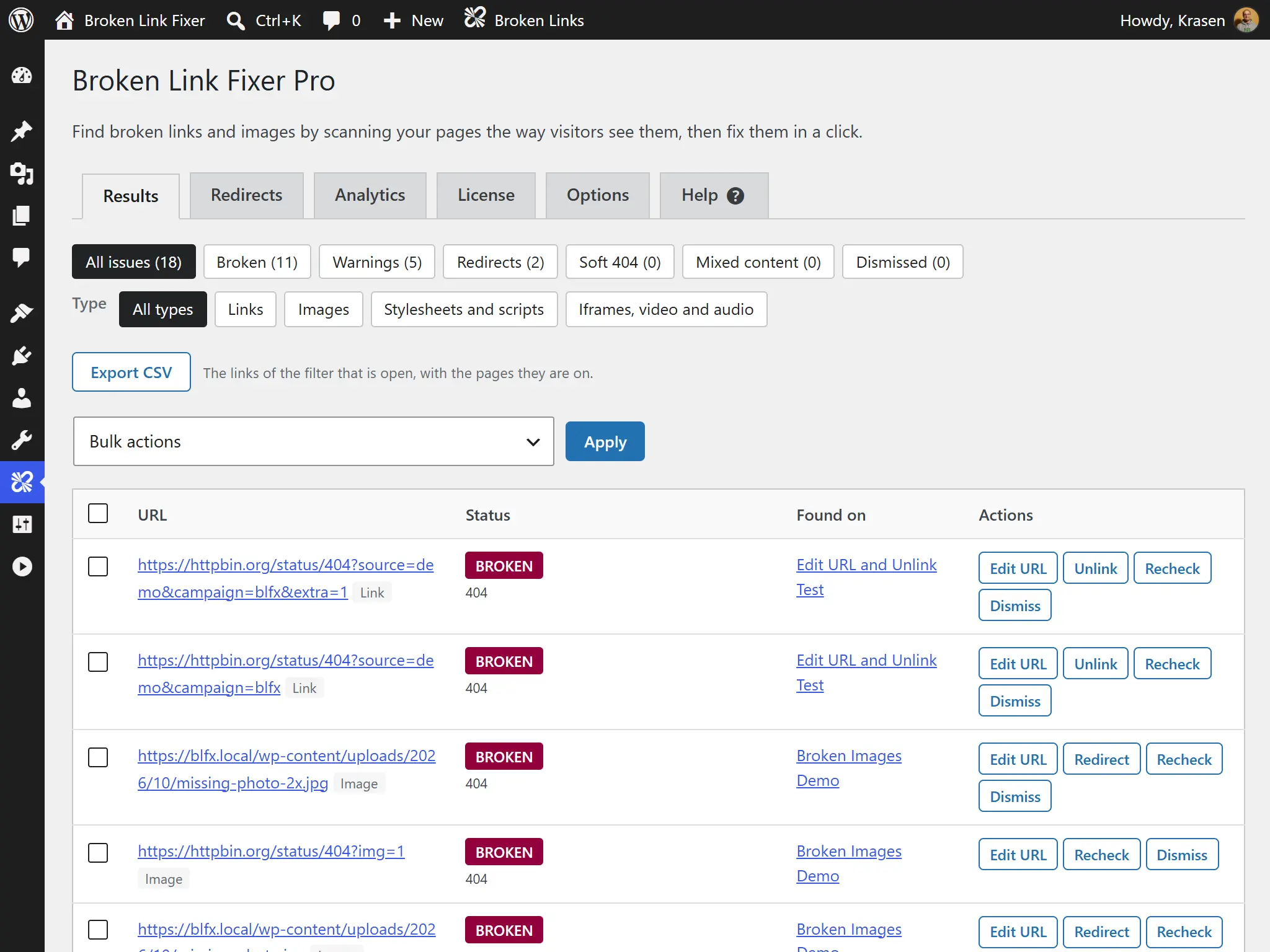
Reads the finished page, so links from your theme, menus and widgets are found too, not only the ones saved in your posts. Your First Scan
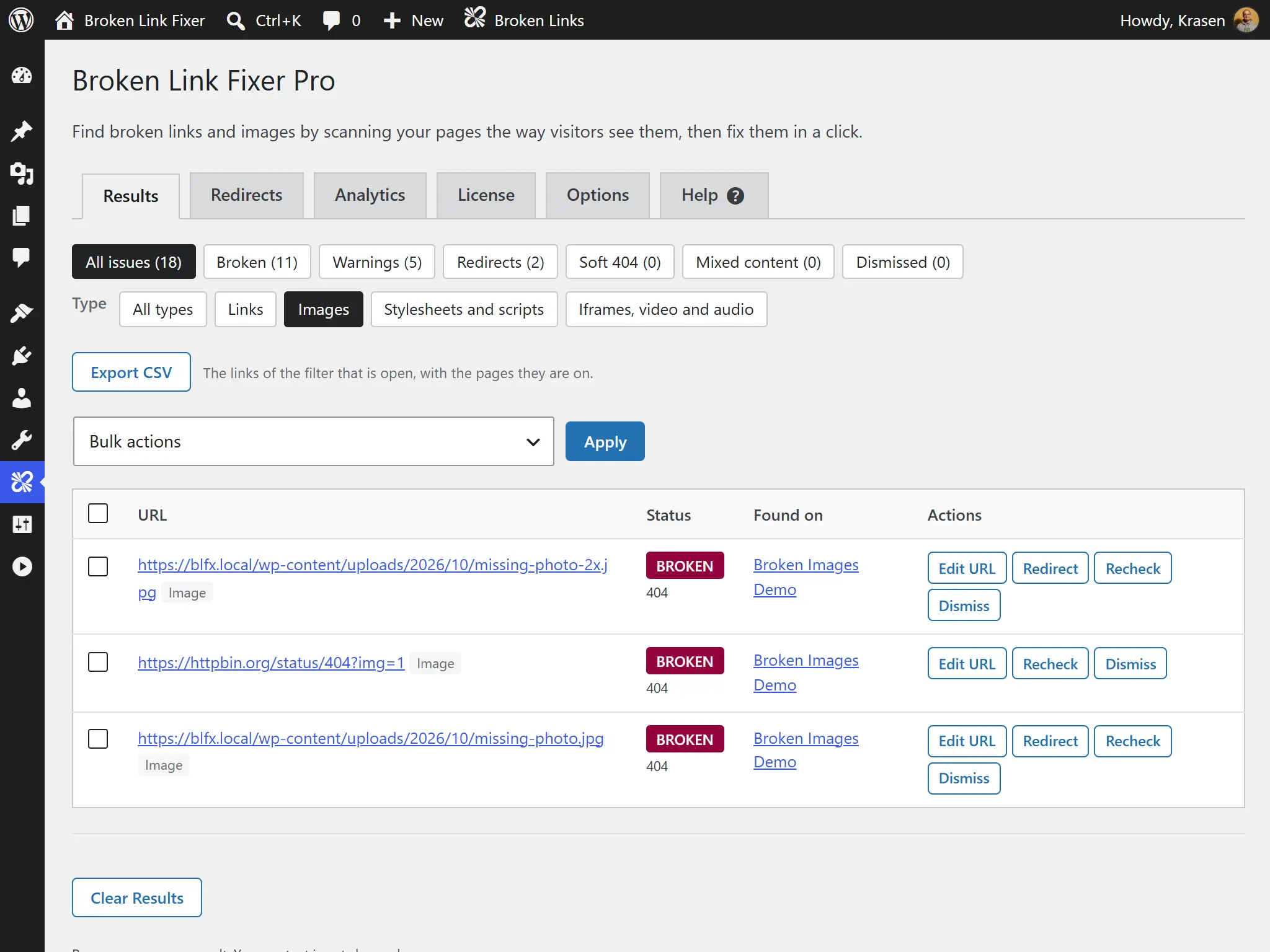
Checks links and images, including lazy-loaded ones. Pro also checks stylesheets, scripts, fonts, iframes, video and audio, and scans custom post types and custom fields.
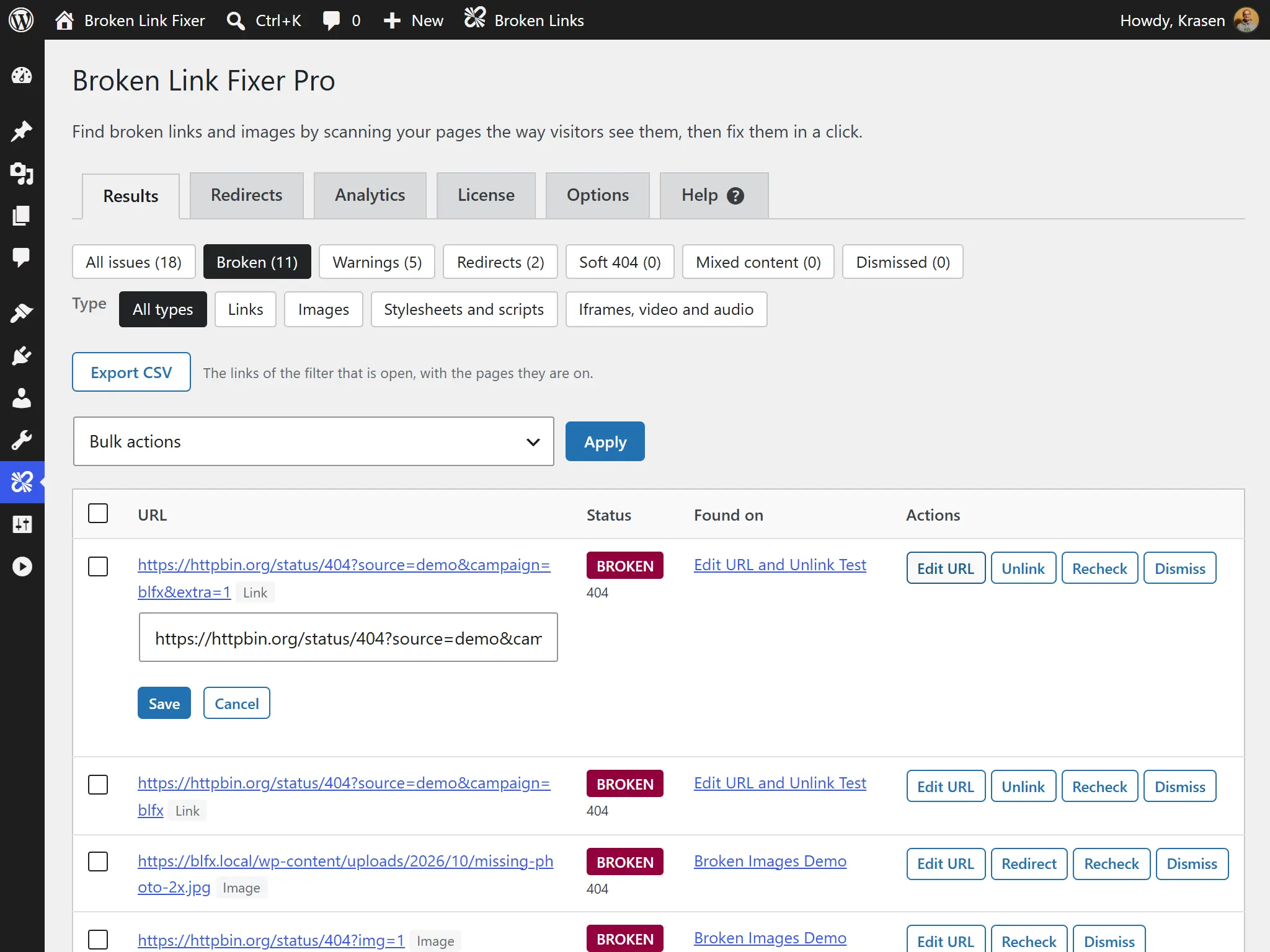
Change a URL or unlink it from the results table, and every post that uses it is updated at once. Back up first: this edits your content.
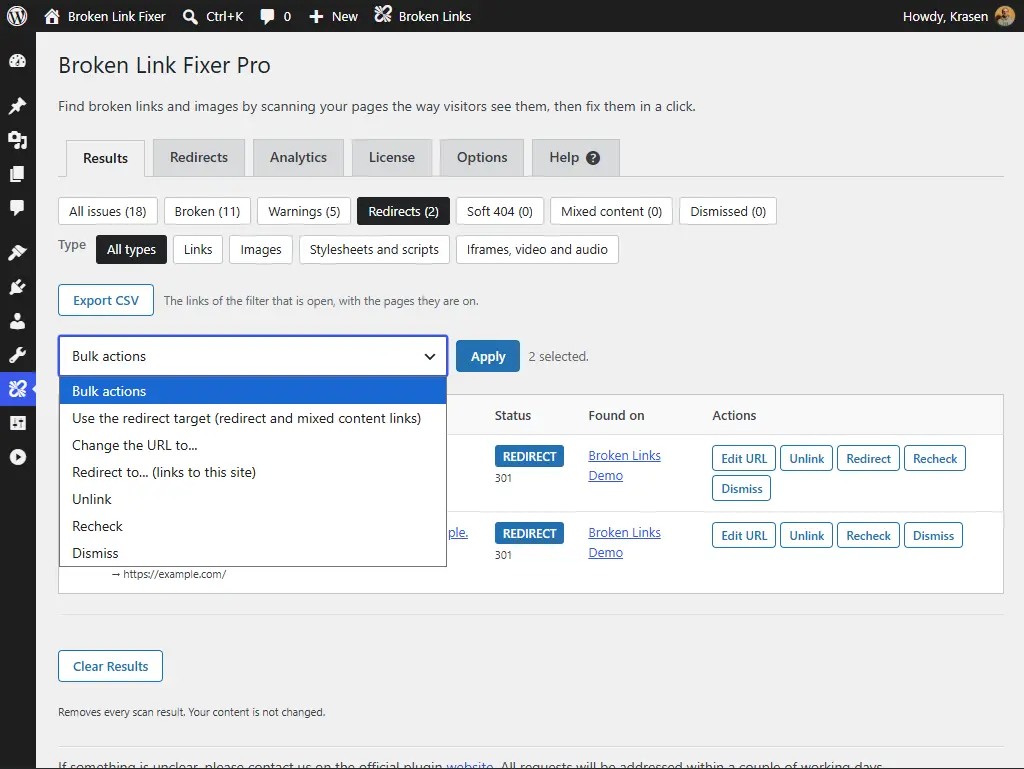
Select every link in a filter and use the redirect target, change the URL, redirect, unlink, recheck or dismiss them all at once, with a progress bar.
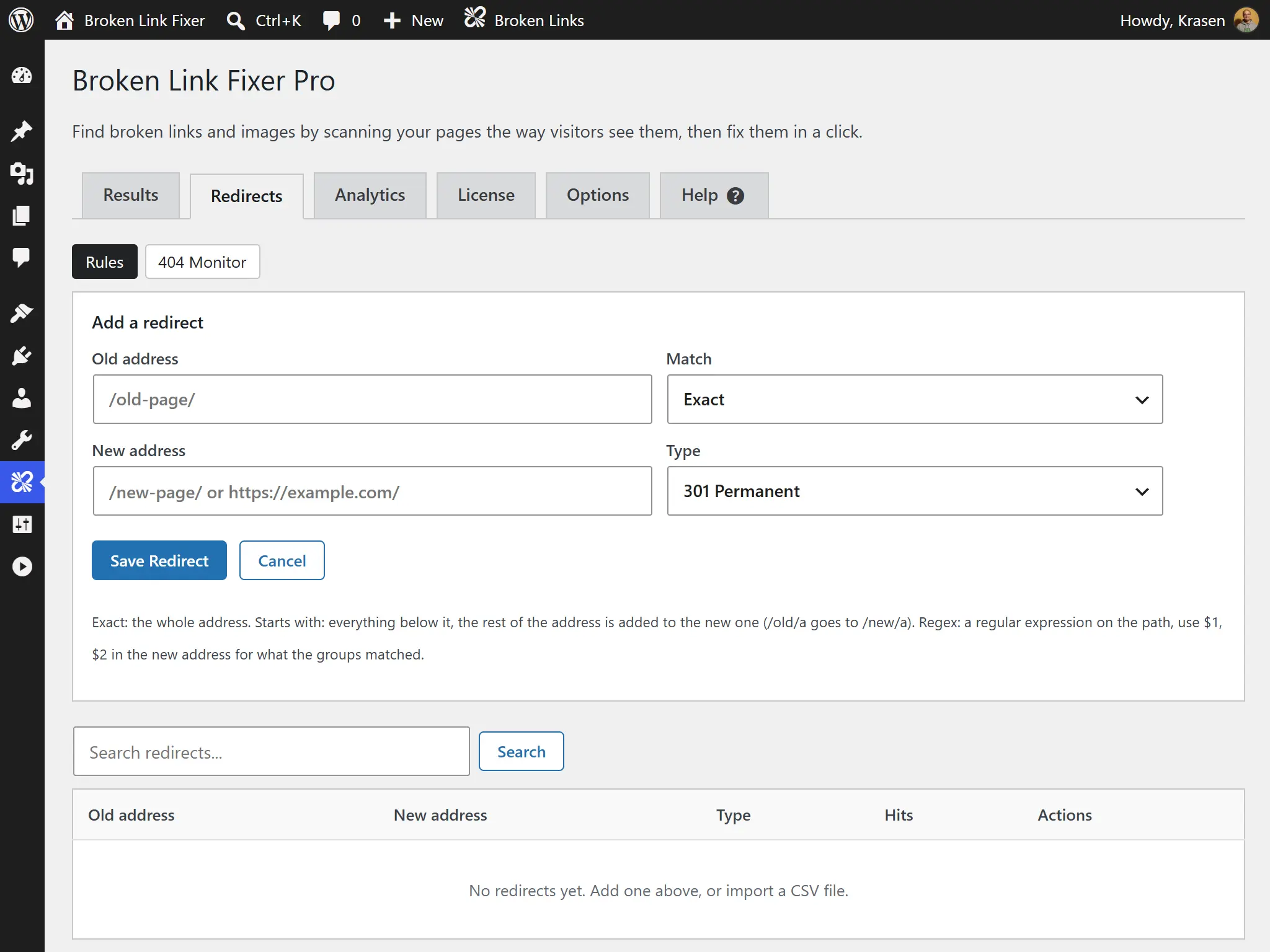
301, 302, 307 and 308 rules that match an exact address, a path prefix or a regular expression, with hit counts and CSV import and export. Redirects Guide
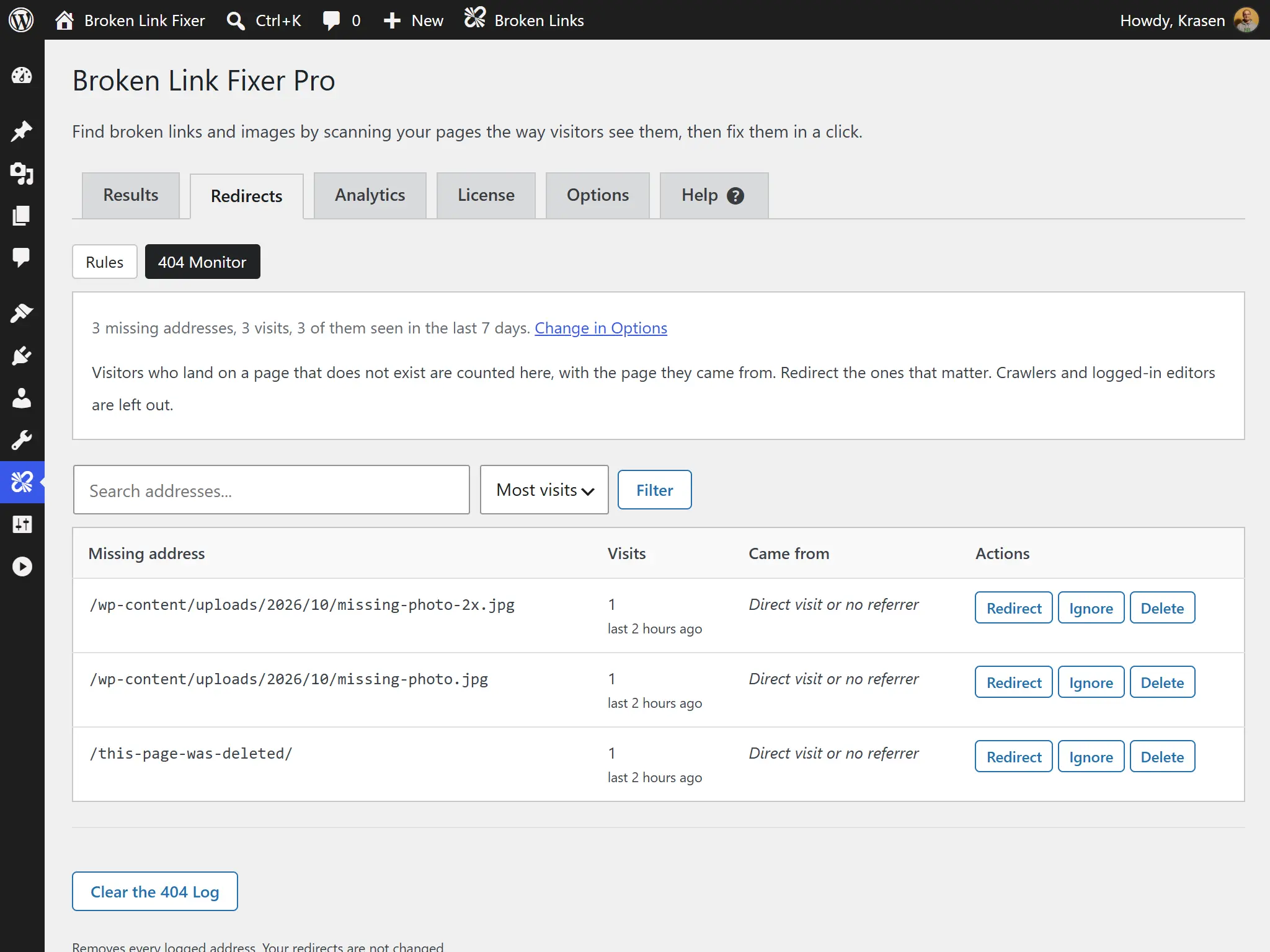
See the missing pages visitors ask for, how often, and where they came from, with a suggested page to redirect each one to. No IP addresses or user agents are stored.
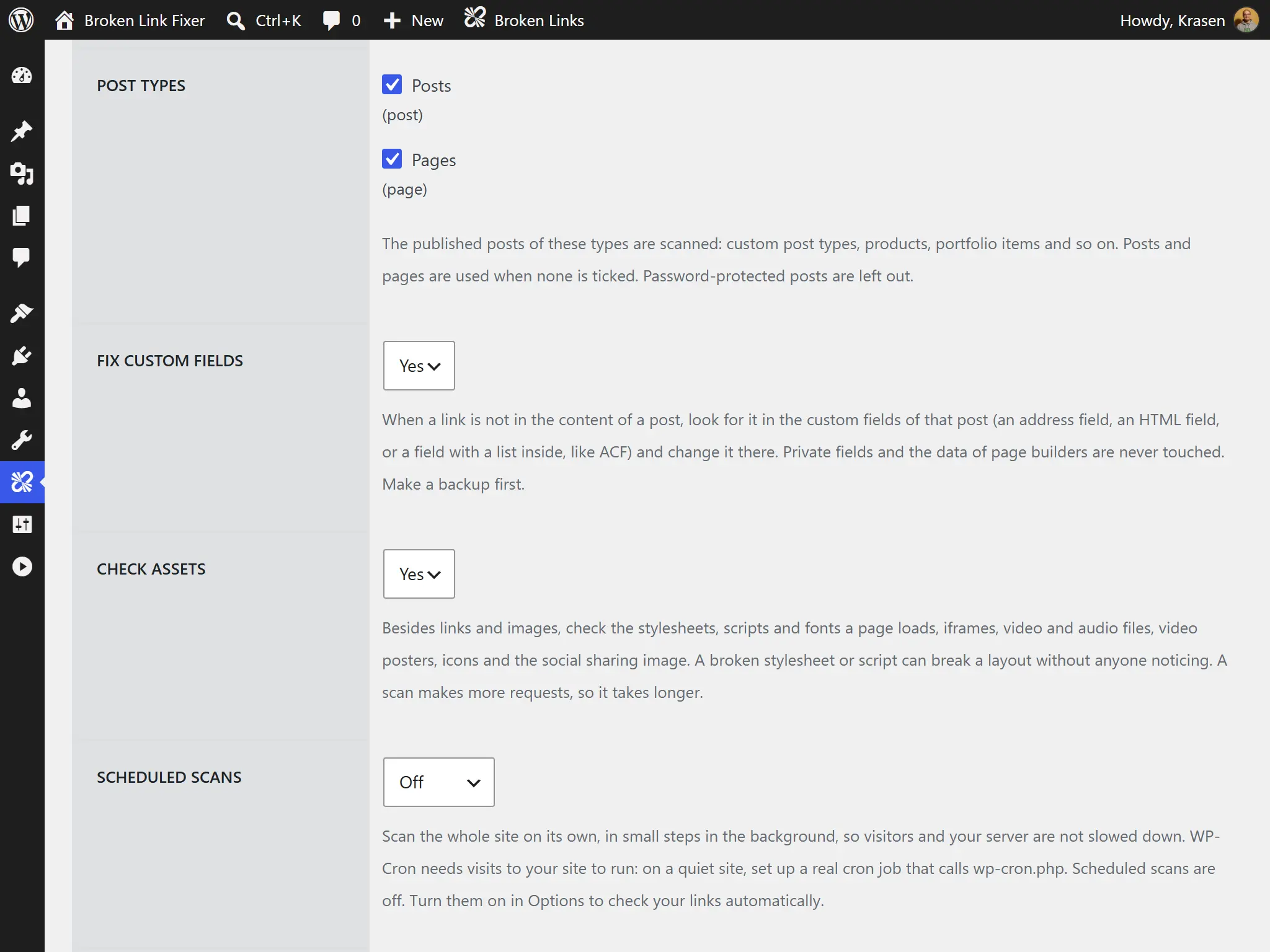
Replace a dead link to another website with a saved copy from the Internet Archive. Off until you turn it on, and only the broken address is sent.
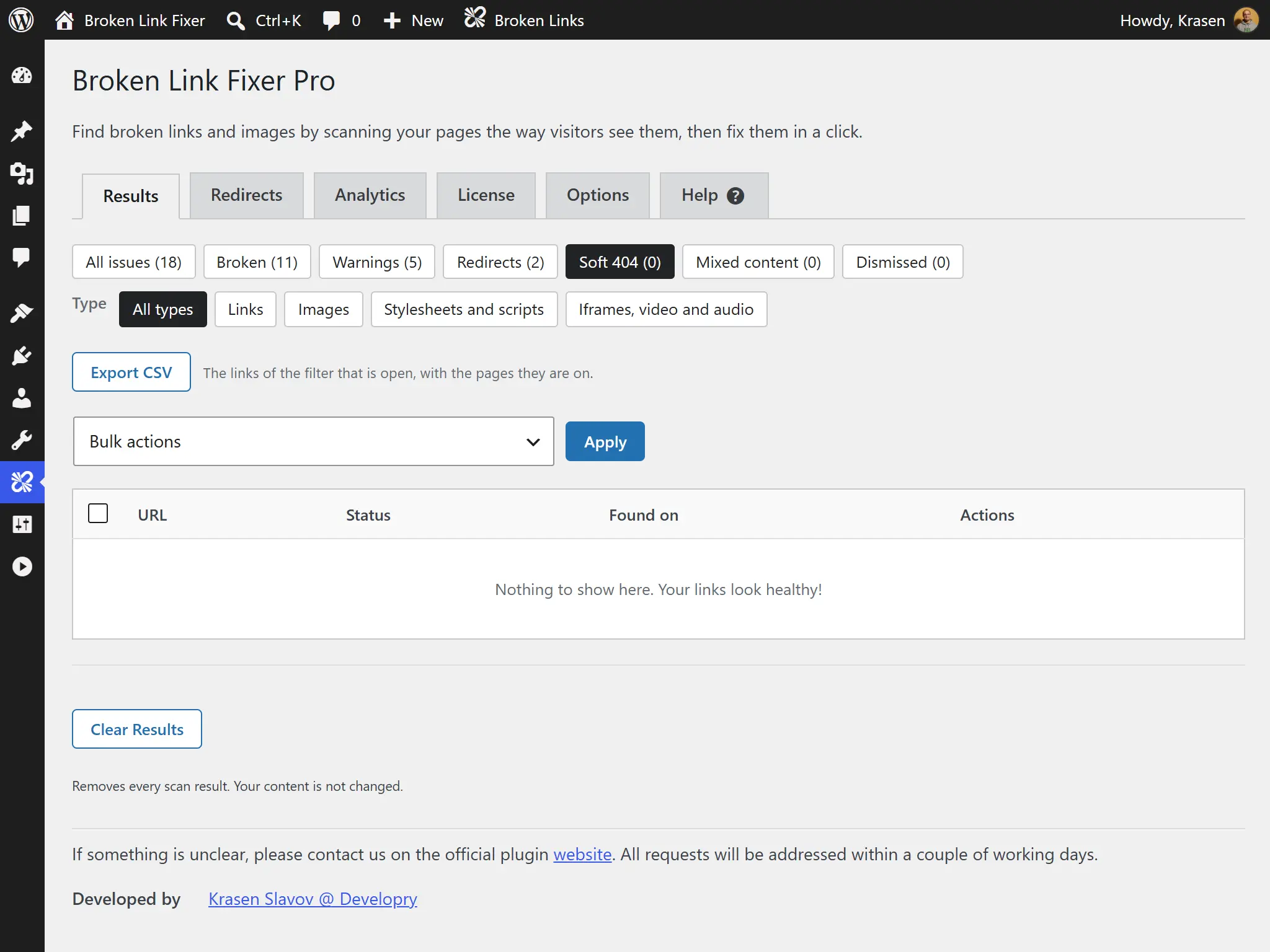
Spot pages that answer "200 OK" but say "not found", parked domains, and files an https page loads over http, with the https address to switch to.
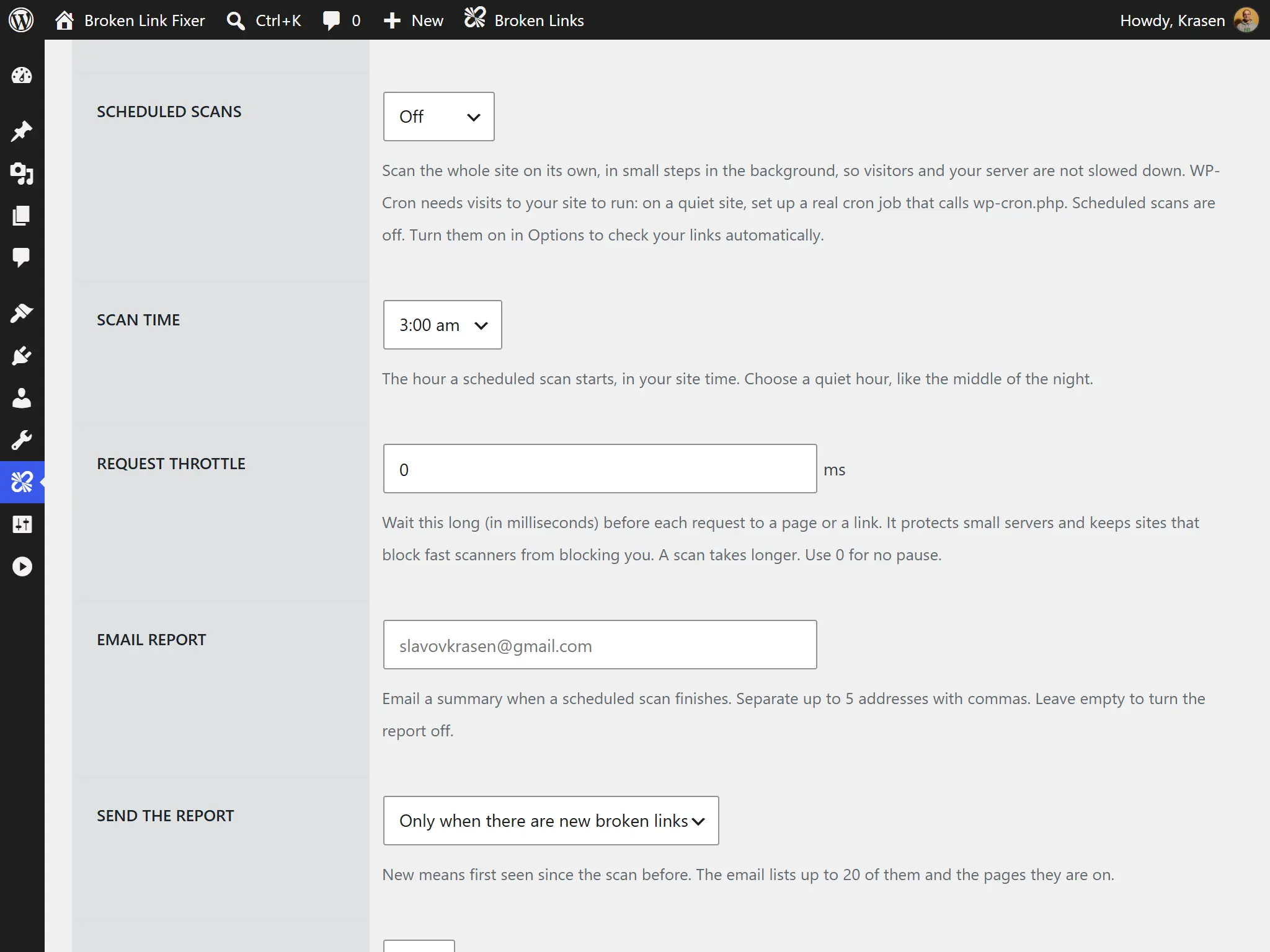
Scan every day, week or month in small background steps, and get an email with the new broken links and the pages they're on.
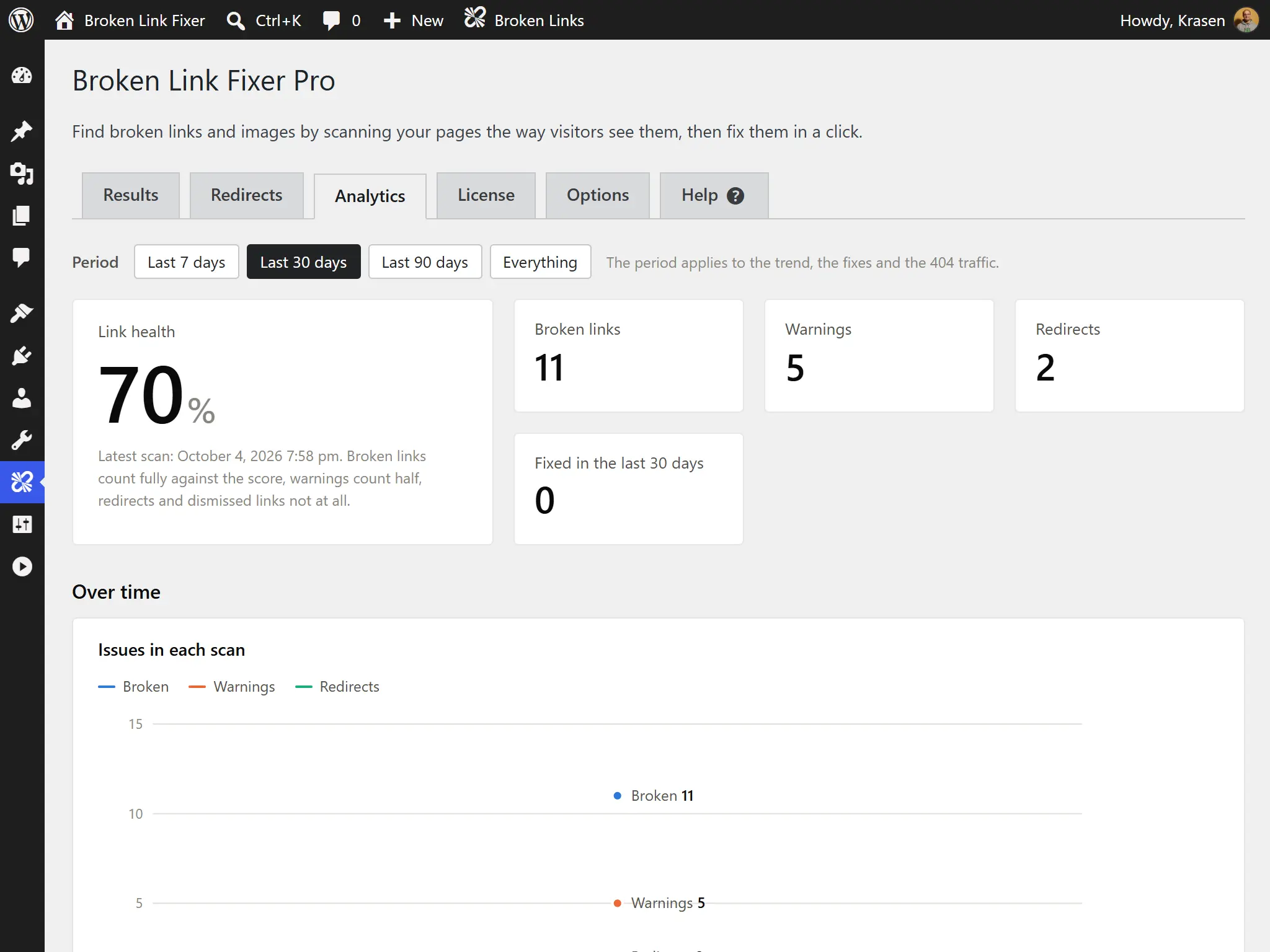
Follow a link health score, the trend of broken links, what you fixed, and the pages and websites with the most problems. Reading Analytics
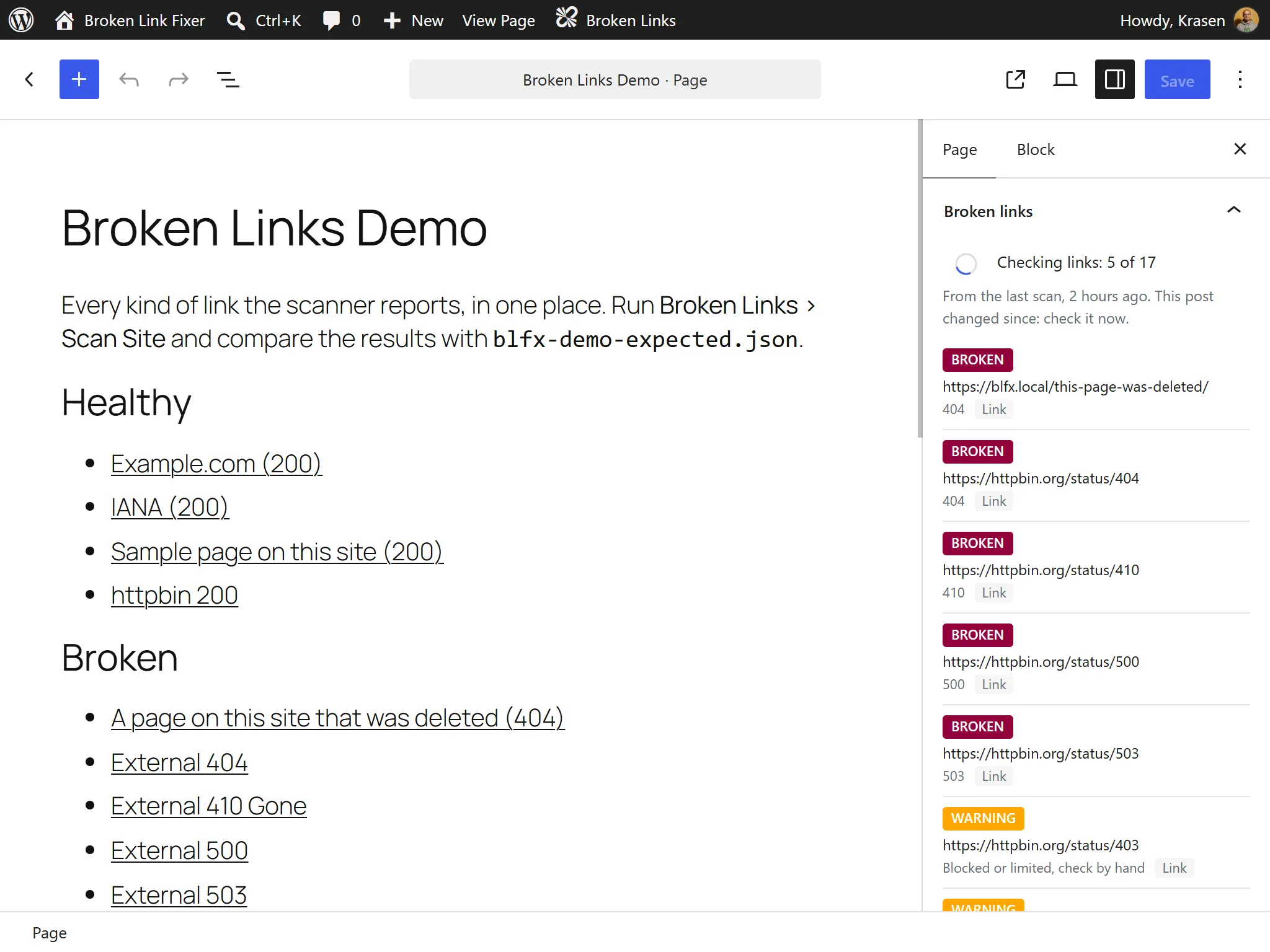
A panel in the block editor and the Classic Editor shows what the last scan found and checks the post as you write it, saved or not. Editor Panel
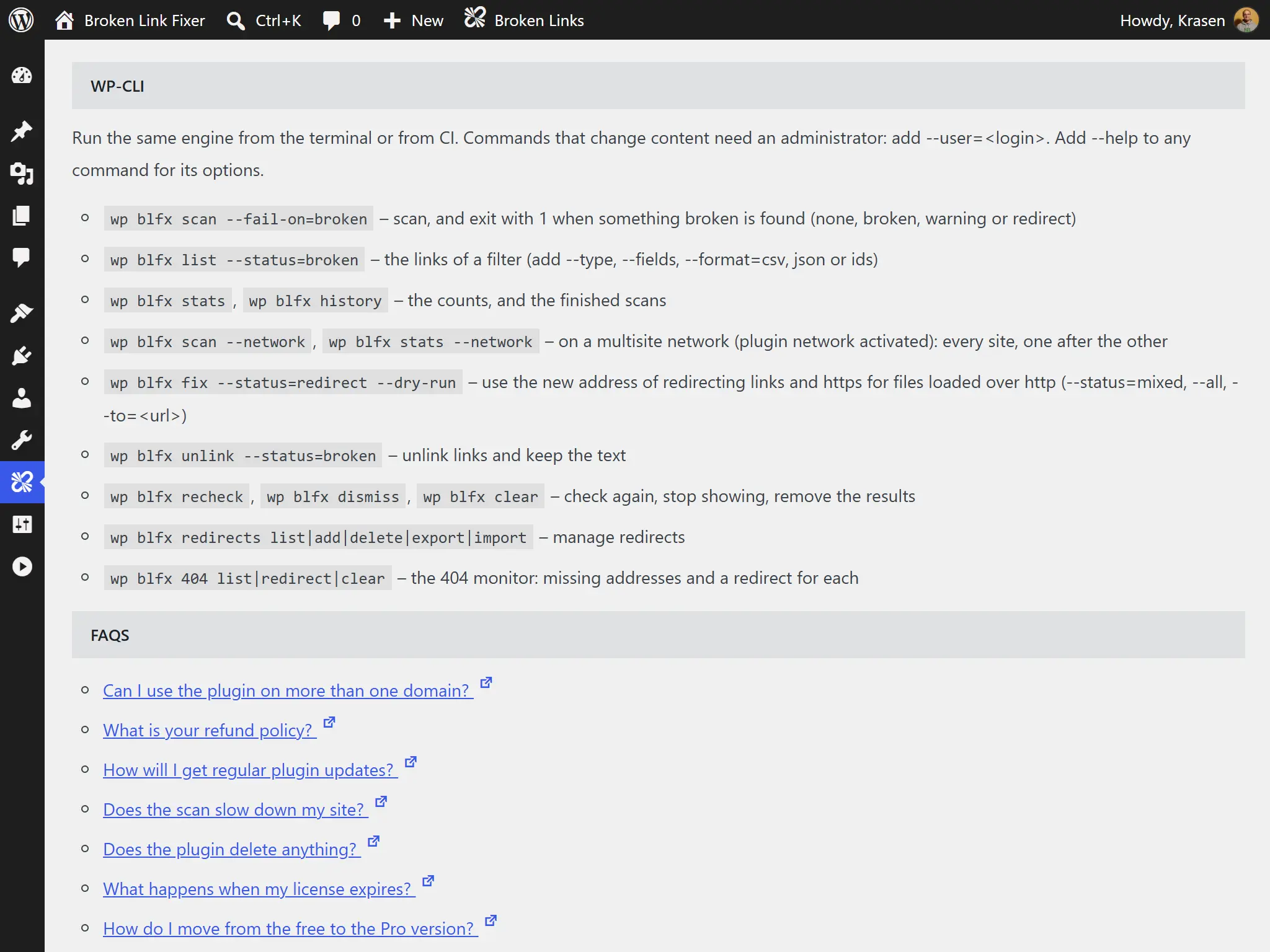
Run the scanner from WP-CLI with an exit code for deployment checks, export any filter to CSV, and scan every site of a multisite network from one page. WP-CLI Commands
Hear from our satisfied customers about their experience with our products and services.
"Managing links directly from the integrated editor panel makes cleaning up site errors feel remarkably seamless."

"Running WP-CLI commands across our network saves us time when auditing large enterprise client setups."

"Scanning my posts caught several broken image links in my old guides that I never would have noticed on my own."

What is the difference between the Free and Pro plugins?
| Feature | Free | Pro |
|---|---|---|
| Scan posts & pages: links & images | ✓ | ✓ |
| Theme, menu & widget links (rendered pages) | ✓ | ✓ |
| Broken, warning & redirect statuses | ✓ | ✓ |
| Edit a URL or unlink | ✓ | ✓ |
| Dismiss & recheck | ✓ | ✓ |
| Scan history & dashboard widget | ✓ | ✓ |
| Post types | Posts & pages | Any post type, products & custom fields |
| CSS, JavaScript, iframes, video & audio | ✗ | ✓ |
| Bulk fix | ✗ | ✓ |
| Redirect target & web archive copies | ✗ | ✓ |
| Redirects & 404 monitor | ✗ | 301, 302, 307, 308, prefix & regex |
| Editor panel | ✗ | ✓ |
| Analytics & CSV export & request throttle | ✗ | ✓ |
| WP-CLI commands & Multisite network scan | ✗ | ✓ |
| Support | Help center | Priority email |
A quick comparison table highlighting the difference between the Free and Pro versions of our plugin.
Every license includes all Pro features, a year of updates and priority email support, and our 14-day refund policy. Choose yearly, or pay once with a lifetime license.
For freelancers and small agencies
Add to Cart Add to CartFor your own website
Add to Cart Add to CartFor agencies and large networks
Add to Cart Add to CartOnly need to find broken links and fix them one at a time? The free version scans your pages and edits or unlinks what it finds - try it first.
Download FreeFeel free to send us a message if you have any additional questions about our plugin.
Read the latest content from our blog.
 Developry
Every WordPress project starts with a name.
 Developry
Your WordPress site’s color palette isn’t just aesthetic decoration-it’s psychological communication.
 Developry
Typography defines your website’s visual identity and readability, but custom web fonts can dramatically impact page load performance.