How to Choose a Domain Name for WordPress: 7 Steps
Every WordPress project starts with a name.


"Safely converting leftover custom blocks into standard HTML blocks across our entire post database saved us hours of manual editor work."
— Yoanna B, Content Manager
Find the dead shortcodes and orphaned blocks left behind by old plugins, then fix them safely with a preview first.
Latest plugin version 1.8.2 was updated 2 weeks ago, fully compatible with WordPress 7.1.3
The free version scans your posts and pages and fixes them one post at a time, with a preview first. Pro adds bulk fixes, backups with one-click undo, custom fields and WP-CLI, so cleaning a whole site takes minutes.
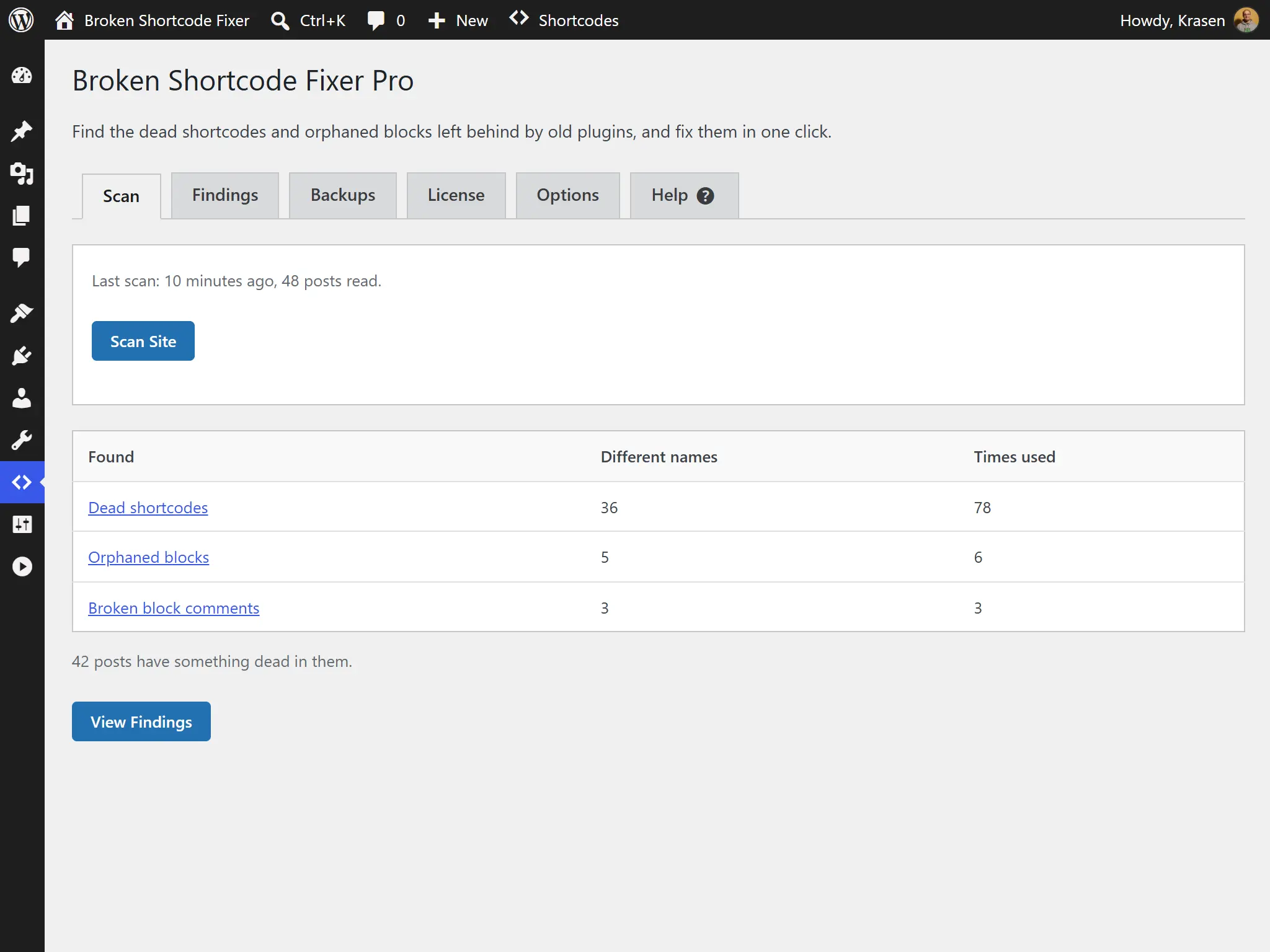
Reads your posts and pages in small steps and finds the shortcodes and blocks that no plugin or theme provides any more. Pro scans every public post type. How a Scan Works
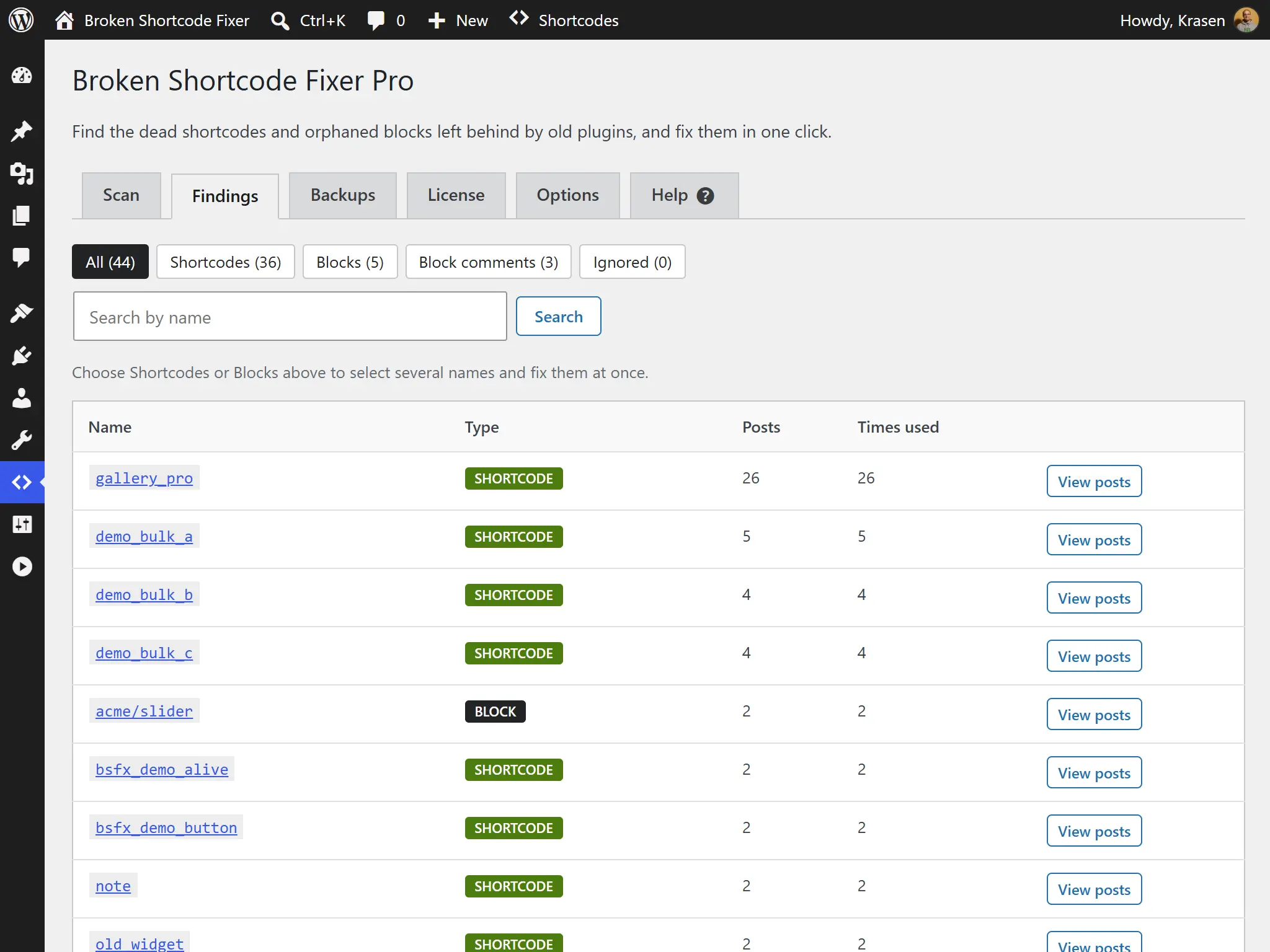
Groups dead shortcodes, orphaned blocks and broken block comments by name, with how many posts use each one and the text around it, the dead shortcode highlighted.
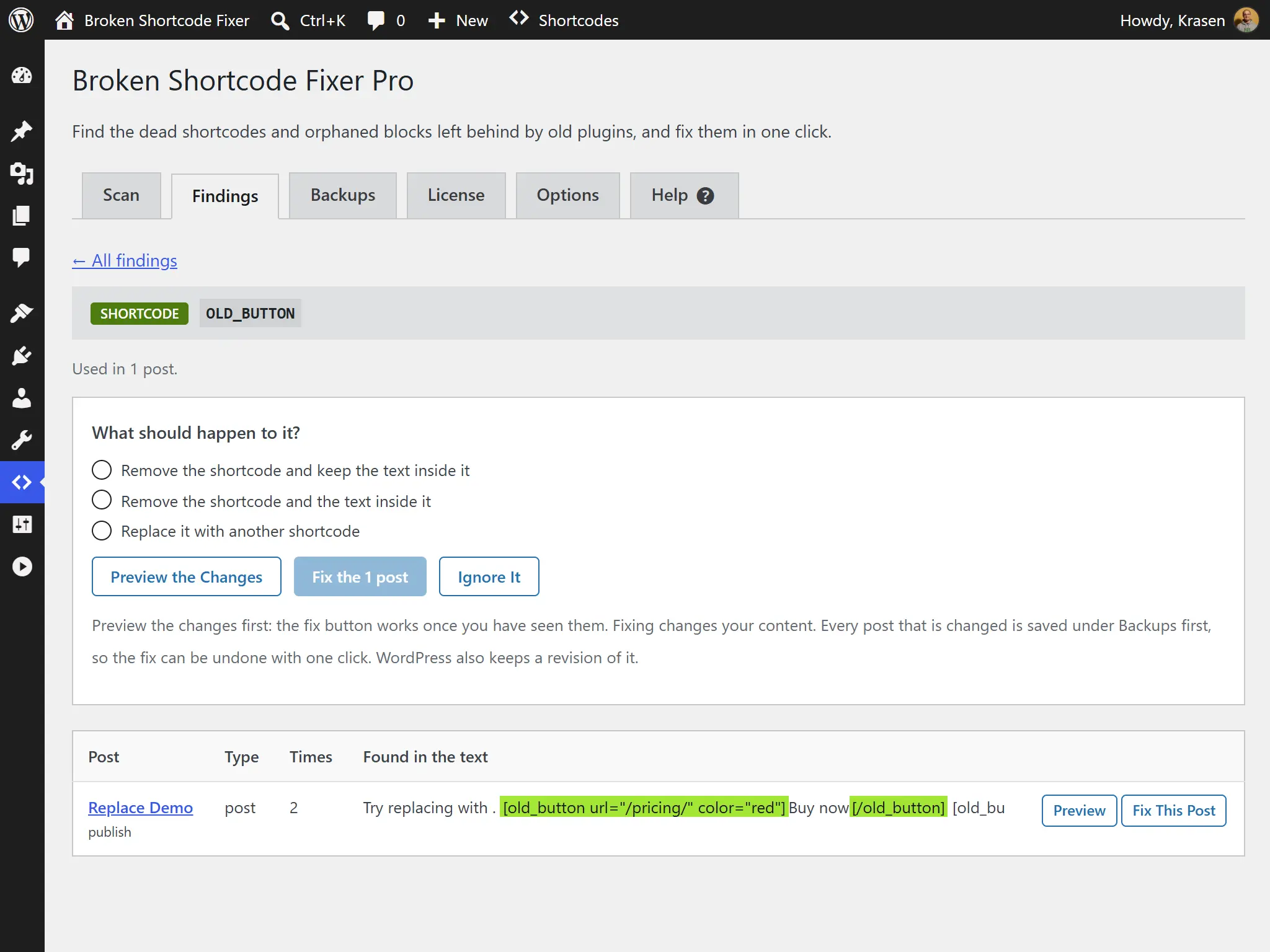
Turn a block whose plugin was removed into an HTML block or a paragraph so its content stays, or remove it. Broken block comments are listed so you can find them.
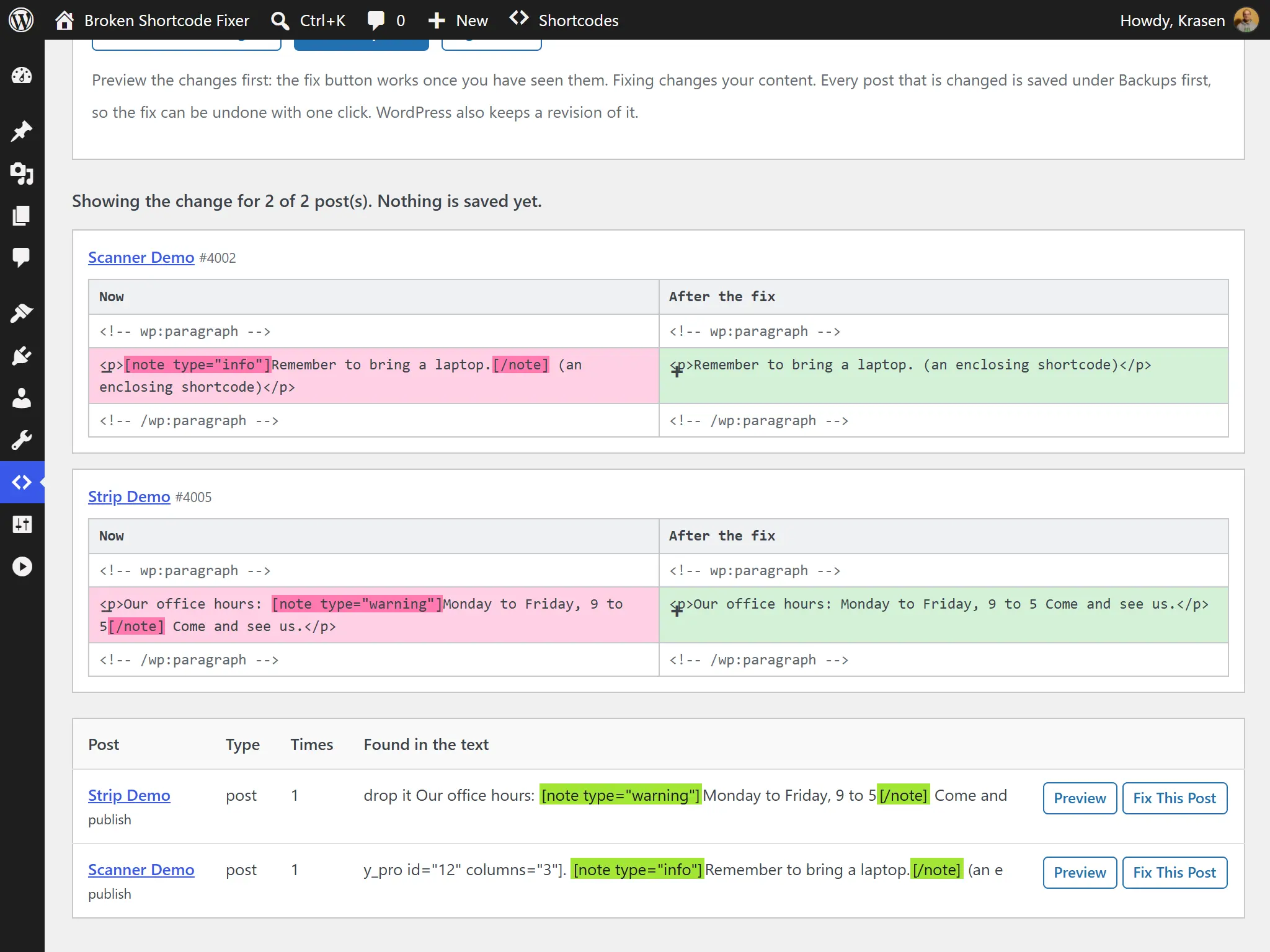
See the current text next to the new text with the changed words marked, and nothing is saved. Free previews one post, Pro previews every post of a finding. Dry Run Guide
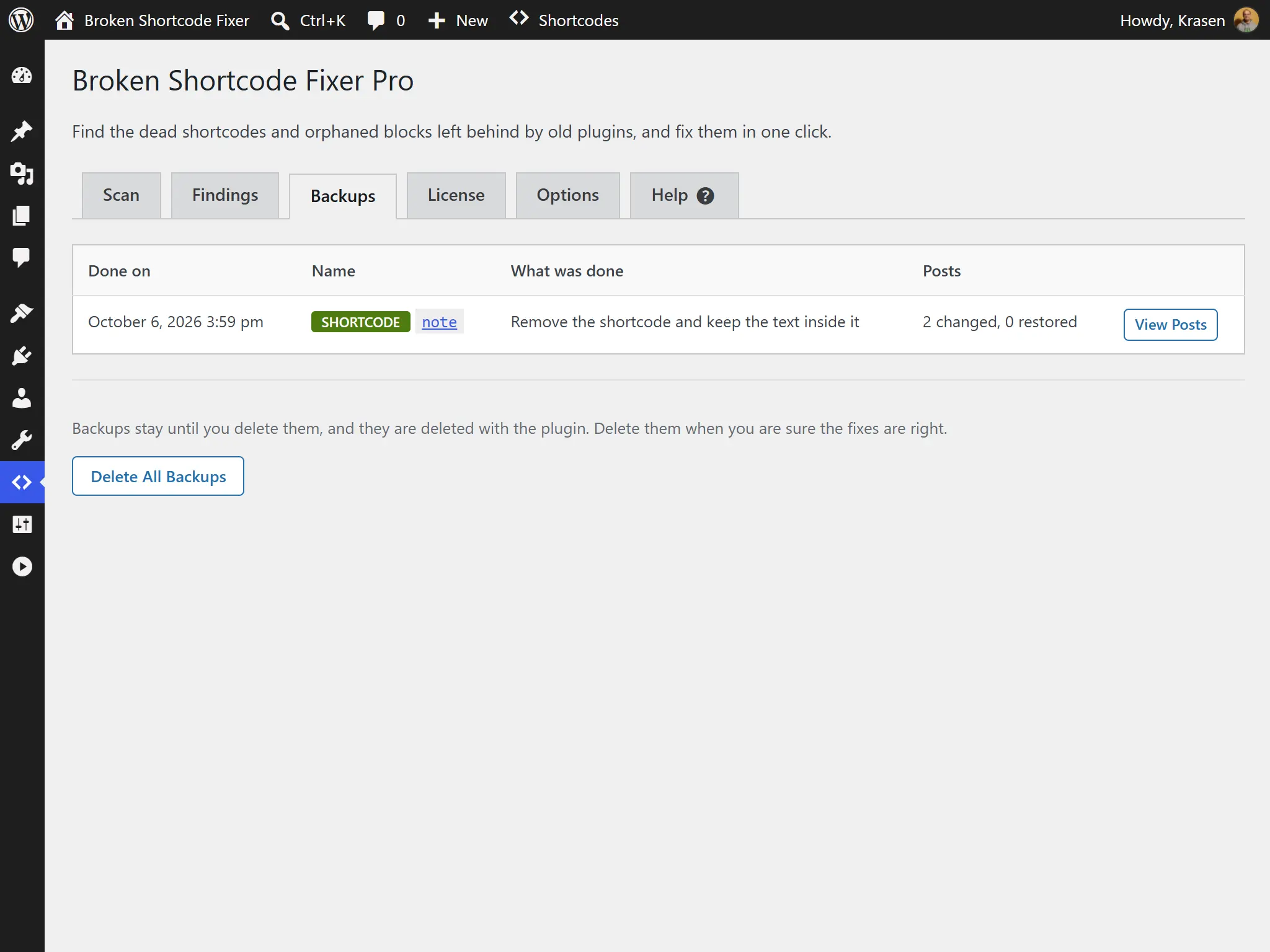
Pro saves every changed post first, so one post or a whole fix can be restored in a click, after a comparison with the backup. Posts edited after the fix are not restored unless you say so.
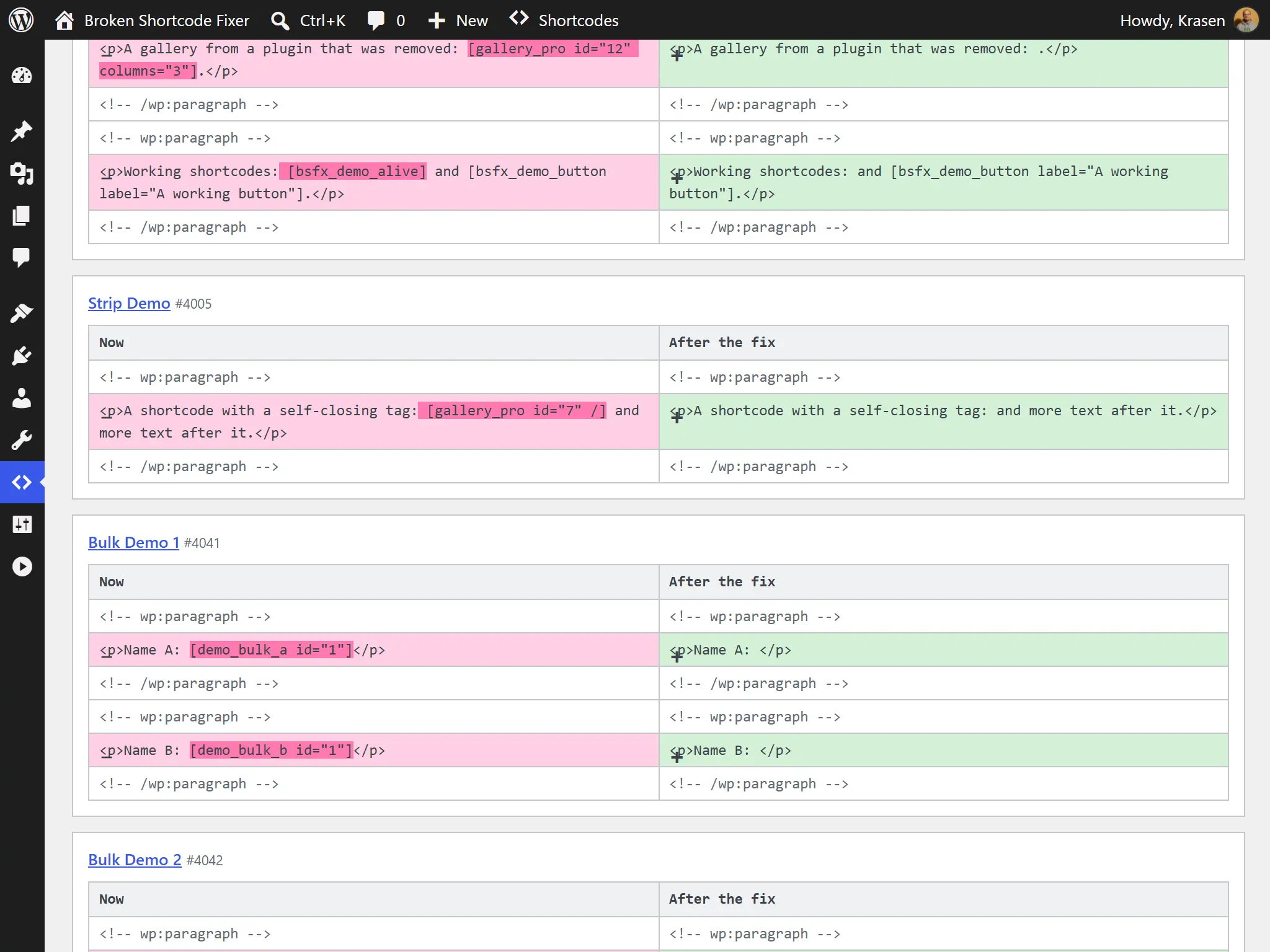
Pro fixes a whole finding, or ticks several names or every name of a search, in one run with a progress bar. An interrupted run can be continued or cancelled. Bulk Fix Guide
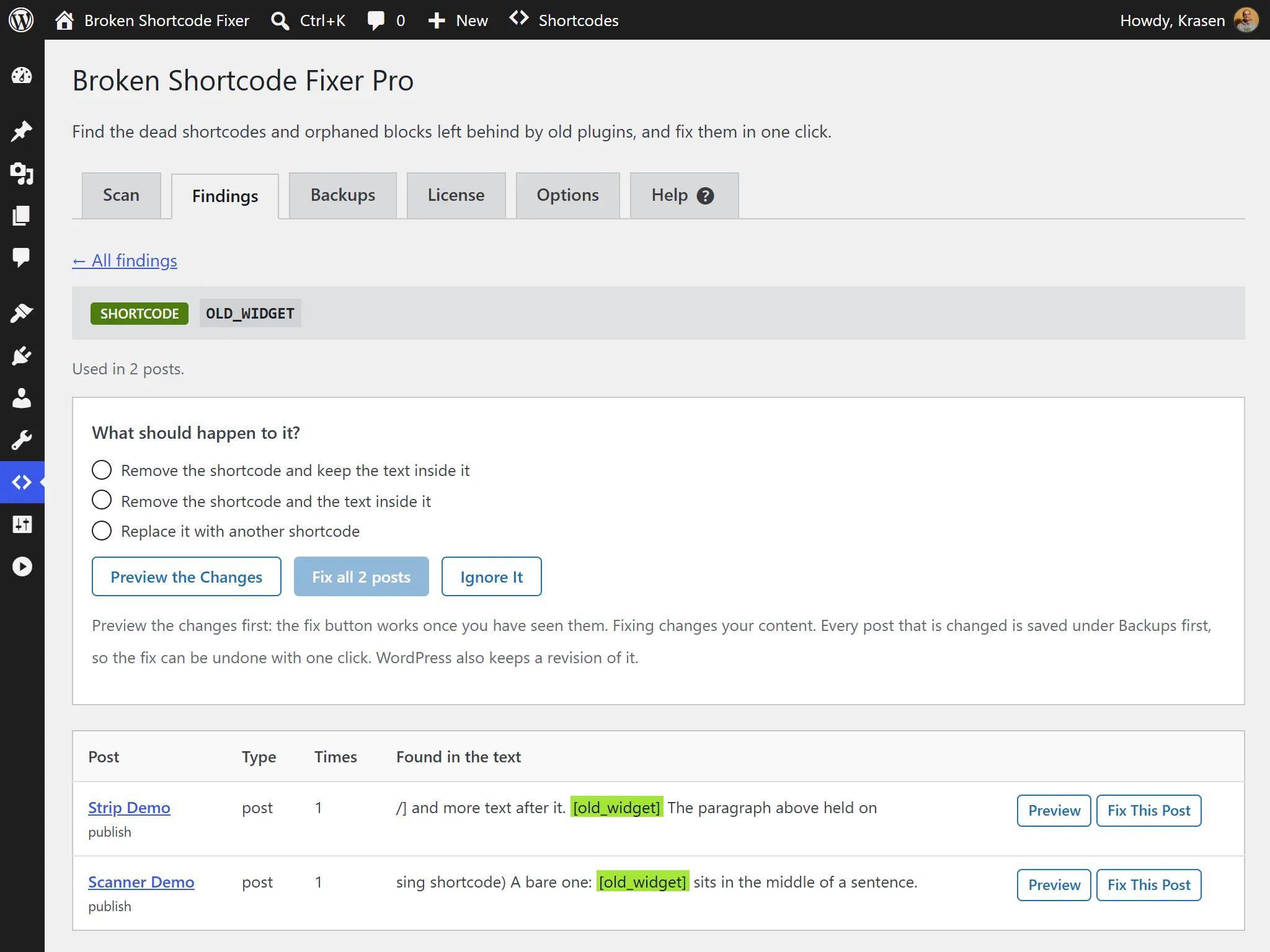
Hide a shortcode or block and it is never reported again. Pro also manages the whole ignore list as text, one name per line.
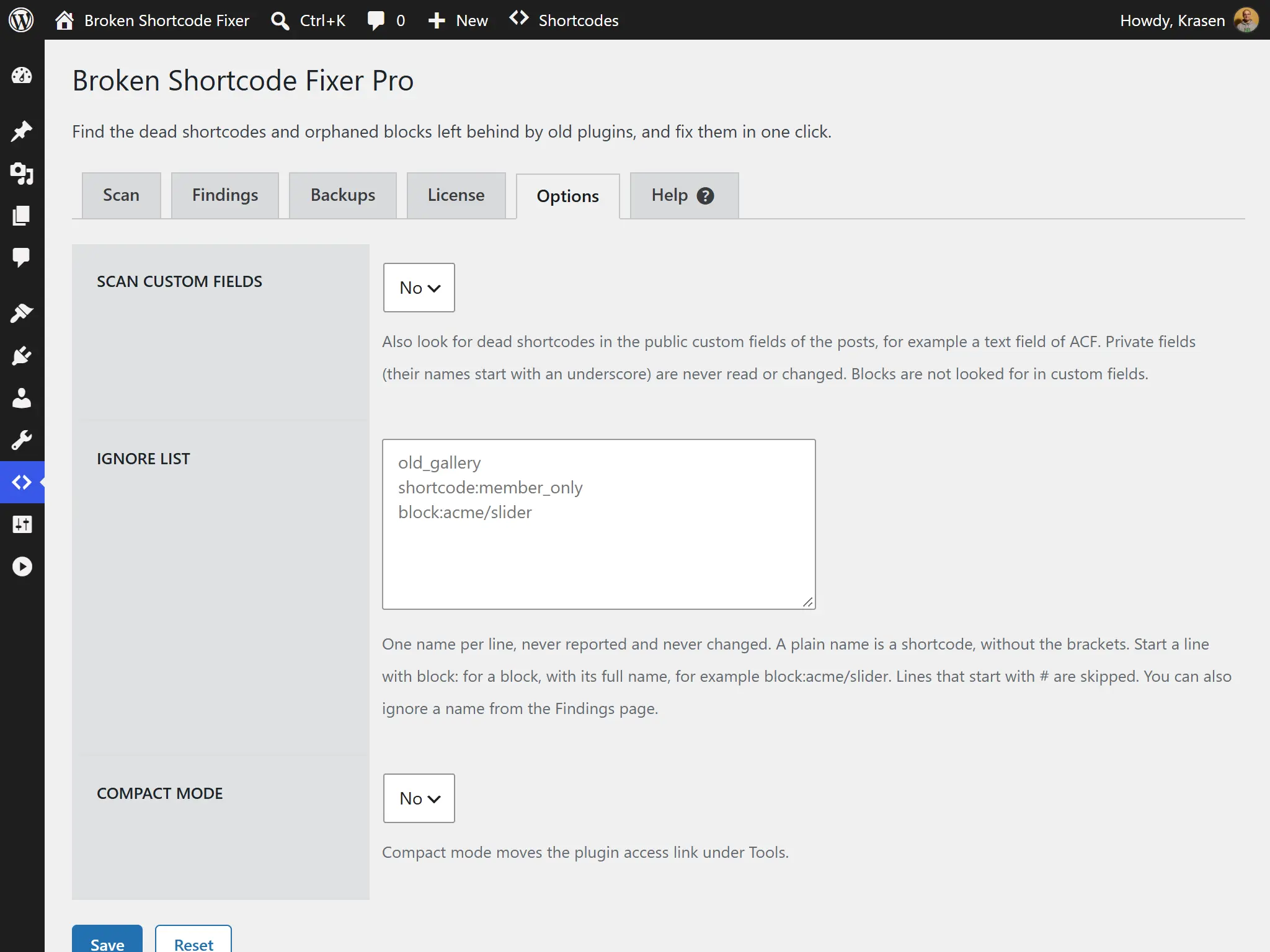
Pro scans the public custom fields too, such as an ACF text field, and previews, fixes and restores them. Private fields are never read or changed. Custom Fields Guide
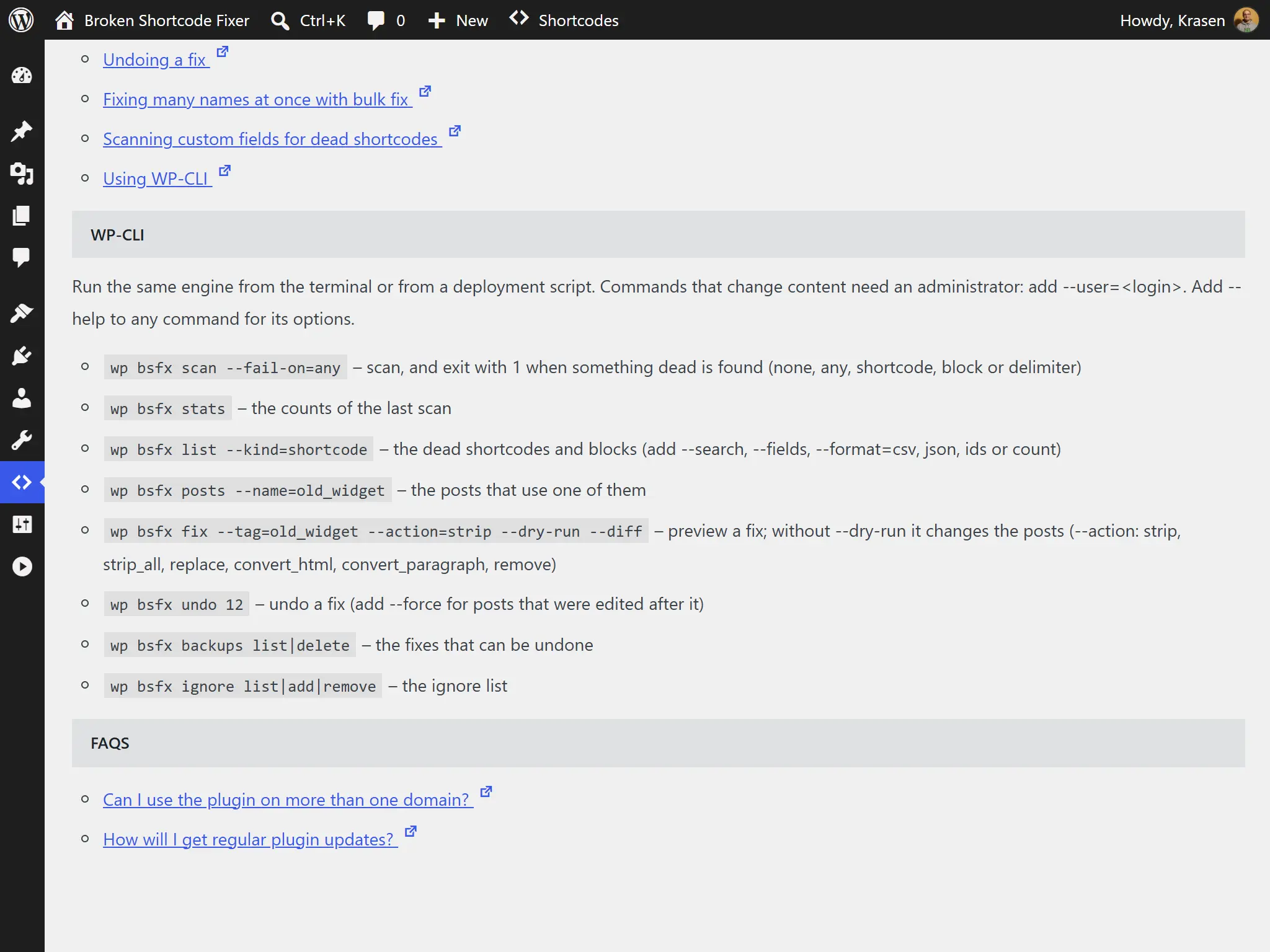
Run the scanner from WP-CLI with an exit code for deployment checks, and list, fix with --dry-run and --diff, and undo from the terminal.
Hear from our satisfied customers about their experience with our products and services.
"Adding `wp bsfx scan` into our deployment scripts catches leftover shortcodes before code changes go live to production servers."

"Creating an instant backup before running a site-wide cleanup makes removing orphaned blocks from past client migrations entirely stress-free."

"Safely converting leftover custom blocks into standard HTML blocks across our entire post database saved us hours of manual editor work."

What is the difference between the Free and Pro plugins?
| Feature | Free | Pro |
|---|---|---|
| Scan for dead shortcodes, orphaned blocks & broken block comments | ✓ | ✓ |
| Findings report with filters, search & the text where each is used | ✓ | ✓ |
| Preview the change to a post | ✓ | ✓ |
| Fix one post at a time | ✓ | ✓ |
| Ignore a shortcode or block | ✓ | ✓ |
| Post types | Posts & pages | All public post types |
| Fix a whole finding in one run | ✗ | ✓ |
| Bulk fix | ✗ | ✓ |
| Backups & one-click undo | ✗ | ✓ |
| Compare a post with its backup | ✗ | ✓ |
| Custom fields (ACF & similar) | ✗ | ✓ |
| Ignore list as text | ✗ | ✓ |
| WP-CLI commands | ✗ | ✓ |
| Support | Help center | Priority email |
A quick comparison table highlighting the difference between the Free and Pro versions of our plugin.
Every license includes all Pro features, a year of updates and priority email support, and our 14-day refund policy. Choose yearly, or pay once with a lifetime license.
For freelancers and small agencies
Add to Cart Add to CartFor your own website
Add to Cart Add to CartFor agencies and large networks
Add to Cart Add to CartOnly need to find dead shortcodes and fix them one post at a time? The free version scans your posts and pages, previews each change and fixes the post you choose - try it first.
Download FreeFeel free to send us a message if you have any additional questions about our plugin.
Read the latest content from our blog.
 Developry
Every WordPress project starts with a name.
 Developry
Your WordPress site’s color palette isn’t just aesthetic decoration-it’s psychological communication.
 Developry
Typography defines your website’s visual identity and readability, but custom web fonts can dramatically impact page load performance.